Join when the server is full
When every slot is taken, you still get in. Nobody is kicked to make room for you.
How to use it
- Join as usual. It works on its own.
 Play now
The rank perks of the Blitz MC Minecraft server. Each rank, perk by perk: what it does, the command to type and what you see in game. Nothing here helps you win a fight.
I have
Pick your rank: the perks you can use right now light up.
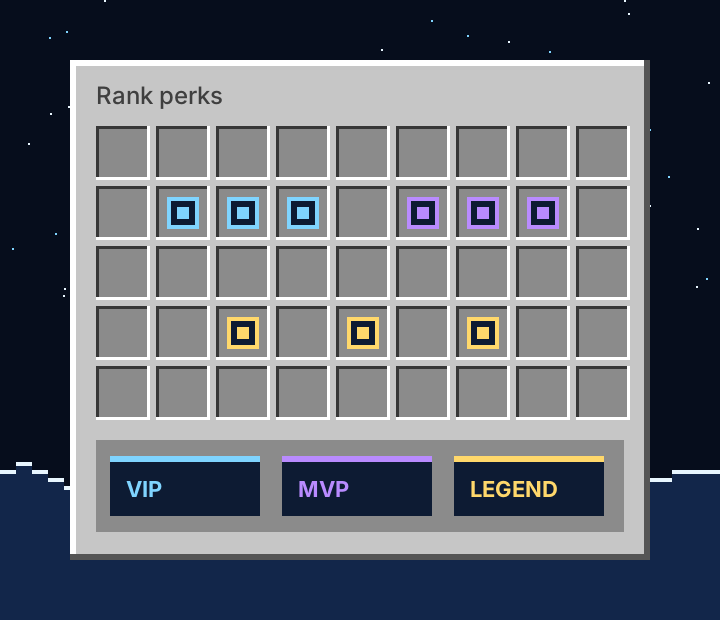
Comfort from day one.
$4.99 a month. Renews every 30 days until you cancel.
Everything below.
Get VIP

When every slot is taken, you still get in. Nobody is kicked to make room for you.
How to use it
Fly around the winter hub to look at the builds or reach a portal fast. It switches off by itself in games and survival.
How to use it /fly
Put any block or item on your head: a pumpkin, glass, a banner. Looks only, no armour.
How to use it /hat
A full crafting grid wherever you are, without carrying a table.
How to use it /craft
Short codes in chat turn into symbols: :heart: becomes a heart, :snow: a snowflake, :star: a star, and more.
How to use it /emojis
A safe bin for junk. Whatever you put in is deleted when you close it.
How to use it /trash
Every player you defeat gets a banner with your name over the spot, so everyone nearby sees who won.
How to use it
5 homes instead of 2, and 8 Auction House listings instead of 3.
How to use it /sethome base
12 chunks instead of 8. It steps back for a moment only when the server is very busy.
How to use it
Every 7-day daily streak pays a quarter more Frost Shards.
How to use it /daily
Every month: 3 Frost keys, 1 Aurora key, 1 emote key and 750 Frost Shards.
How to use it
Disguise and your style.
$9.99 a month. Renews every 30 days until you cancel.
Everything in VIP, plus everything below.
Get MVP
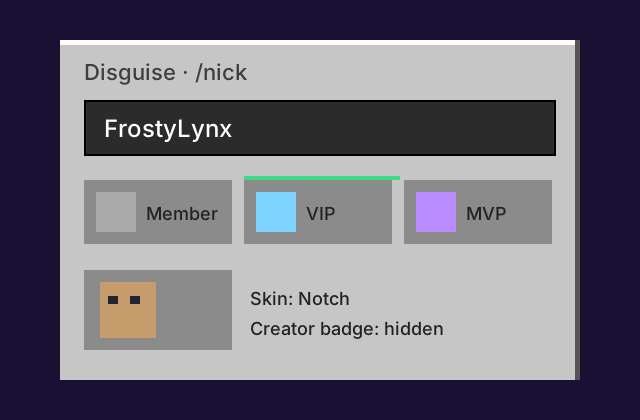
Play under another name, like a second account on the same profile. Chat, TAB, the nametag and /tpa all use it. Choose a skin, which rank people see (never above yours), hide the Creator badge and keep your chat plain. Only names nobody has played with on Blitz MC are allowed, and it never hides a ban or a mute.
How to use it /nick
Your own ender chest, wherever you are.
How to use it /ec
Your chat messages in a colour you choose.
How to use it /chatcolor
When you join, the whole server sees a line with your rank.
How to use it
Craft armour trims and show them on your armour.
How to use it
Time and weather only for you: day, sunset, night, clear or rain. Nobody else sees it.
How to use it /ptime night
Your own player head once a day, to place or wear.
How to use it /head
10 homes, 15 Auction House listings, 16 chunks view distance, +50% Frost Shards on 7-day streaks.
How to use it
Every month: 5 Frost keys, 2 Aurora keys, 1 Blizzard key, 1 emote key and 2,000 Frost Shards.
How to use it
Every station, every show.
$16.99 a month. Renews every 30 days until you cancel.
Everything in MVP, plus everything below.
Get LEGEND

Anvil, smithing table, stonecutter, grindstone, loom and cartography table, wherever you are.
How to use it /anvil
Chat colours that blend from one colour into another across your message.
How to use it /chatcolor
A firework show over the hub for everyone to watch.
How to use it /fireworks
When you join, the server sees an animated arrival instead of a plain line.
How to use it
20 homes, 30 Auction House listings, 20 chunks view distance, double Frost Shards on 7-day streaks.
How to use it
Every month: 8 Frost keys, 3 Aurora keys, 2 Blizzard keys, 2 emote keys and 5,000 Frost Shards.
How to use it
A monthly rank renews every 30 days. If a payment does not go through, perks pause after a 12-hour grace period: flight, workstations and the disguise switch off, and your nick goes back to your real name.
Nothing is deleted. Extra homes and listings stay saved and come back the moment you renew. Cosmetics you chose with keys are yours forever.
You keep the rank until your paid days end, even after you cancel. Questions? Open a ticket on our Discord.